📦 Bundler & Unbundler
Moving complex artifacts across network boundaries? The Bundler and Unbundler pipelines completely automate the heavy lifting! 🚀
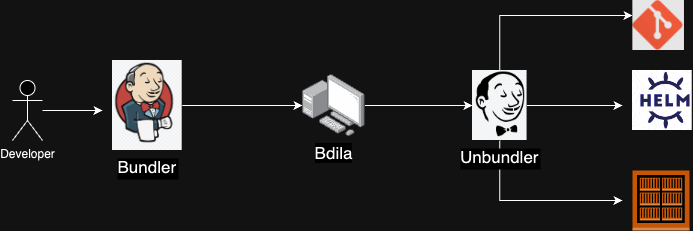
🗜️ The Bundler Pipeline
The Bundler Pipeline gathers up all your requested Docker images, Helm charts, and Git repositories into a single, clean ZIP archive.
It requires exactly one parameter: an artifacts.json file telling it what to grab.
Example artifacts.json:
{
  "docker": {
    "acrarolibotnonprod.azurecr.io": {
      "3d-gateway": "v2.4.2",
      "store-trigger": "v1.5.2"
    },
    "docker.io": {
      "bitnami/redis": "7.2.3",
      "timonwong/uwsgi-exporter": "latest"
    }
  },
  "helm": {
    "acrarolibotnonprod.azurecr.io": {
      "gateway": "2.4.2",
      "store-trigger": "1.5.2"
    },
    "https://charts.bitnami.com/bitnami": {
      "redis": "18.5.0"
    }
  },
  "git": [
    "MapColonies/helm-charts"
  ]
}
How to trigger the Bundler:
- Head over to the Bundler pipeline.
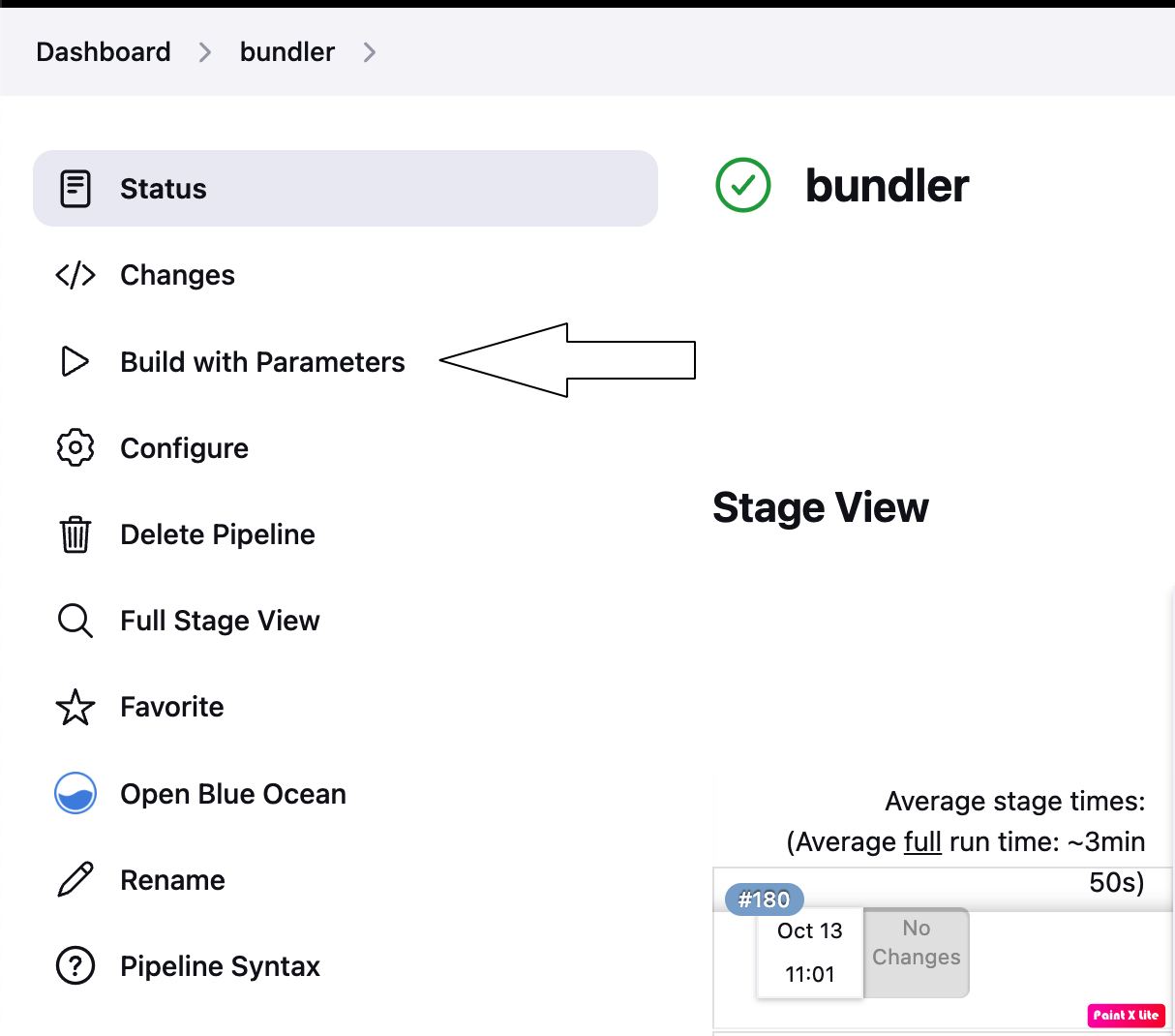
- Click Build with parameters.
- Click Choose File and upload your local
artifacts.json.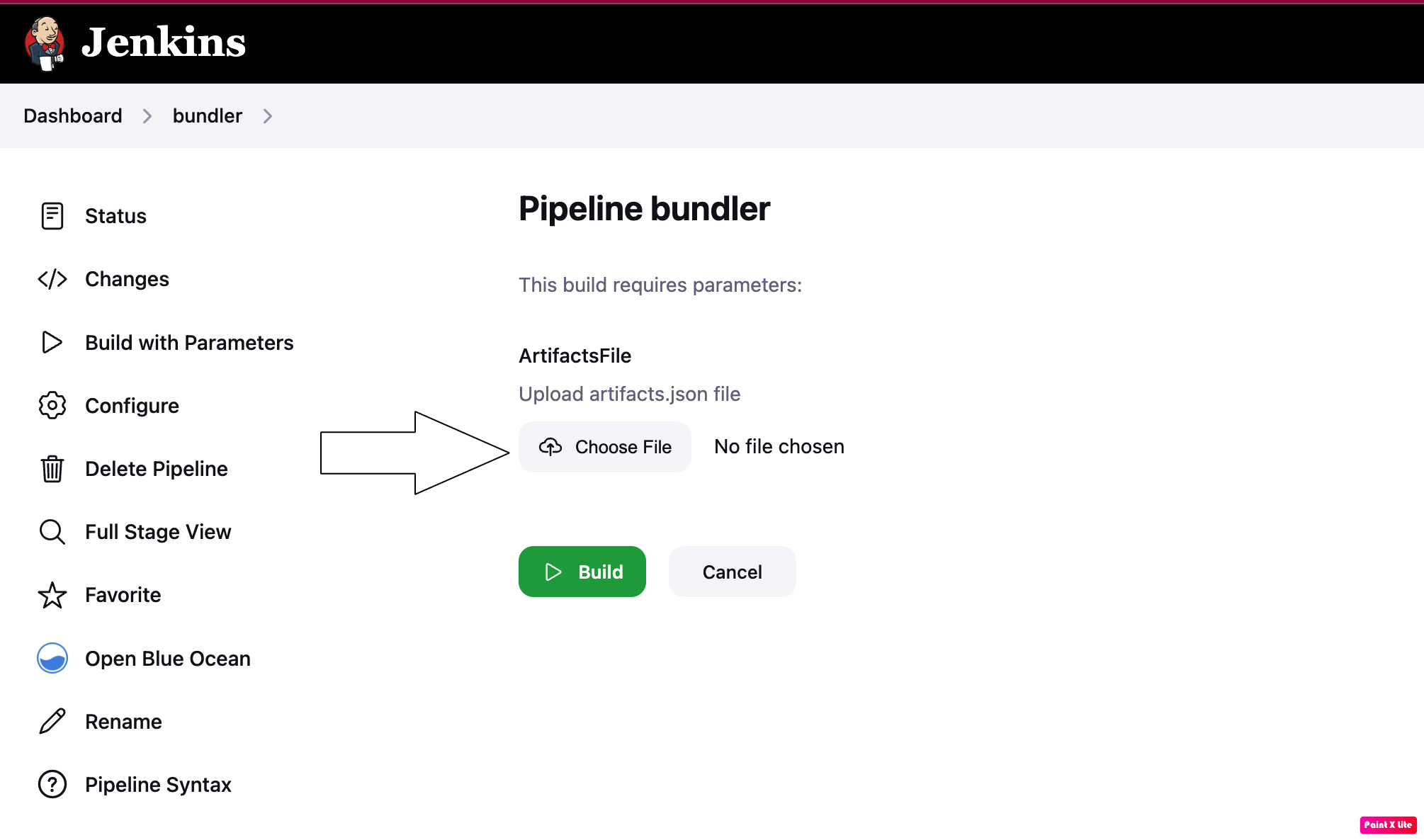
- Smash that Build button!
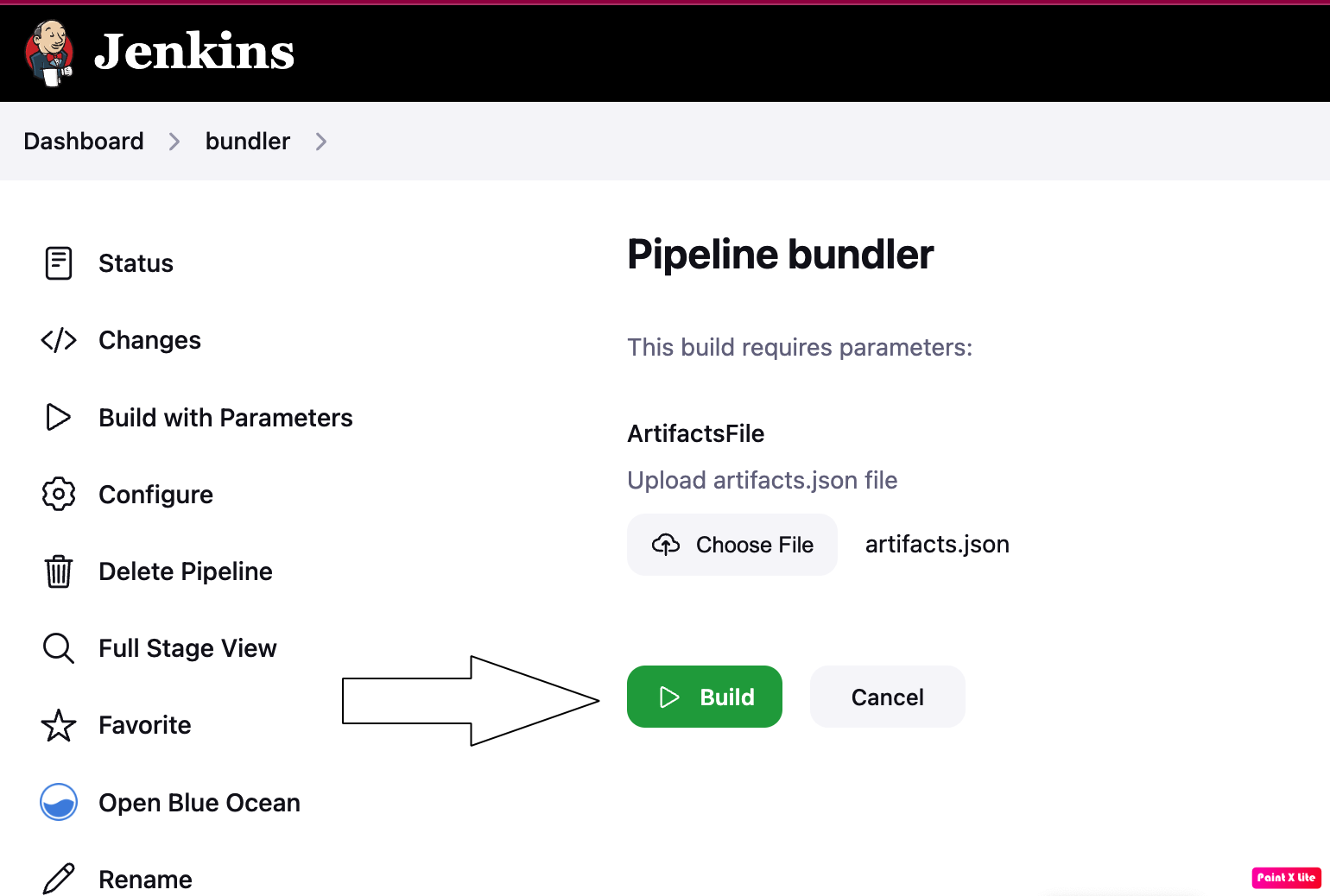
- Sit back and relax. When the pipeline finishes, it automatically fires off a Slack message to your team's notifications channel! 📩
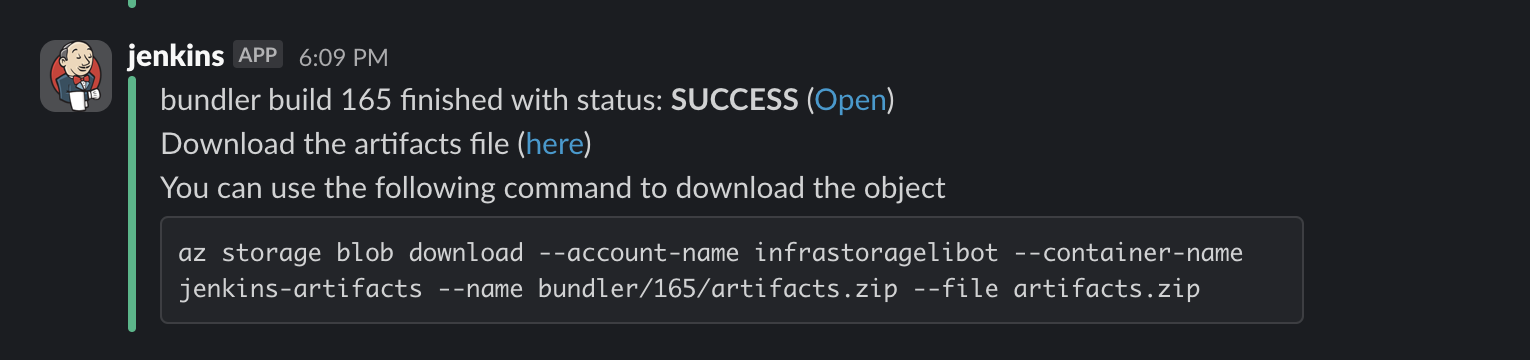
- Click the download link in Slack to grab your ZIP bundle. Keep this safe—you will need it for the Unbundler in the target network.
📤 The Unbundler Pipeline
Once you have crossed into the target network, the Unbundler pipeline unpacks your archive and automatically pushes all the artifacts into the local registries!
How to trigger the Unbundler:
- Open the Jenkins instance located in the target network and locate the Unbundler pipeline.
- Click Build with Parameters.
- Click Choose file and upload the ZIP bundle you downloaded earlier.
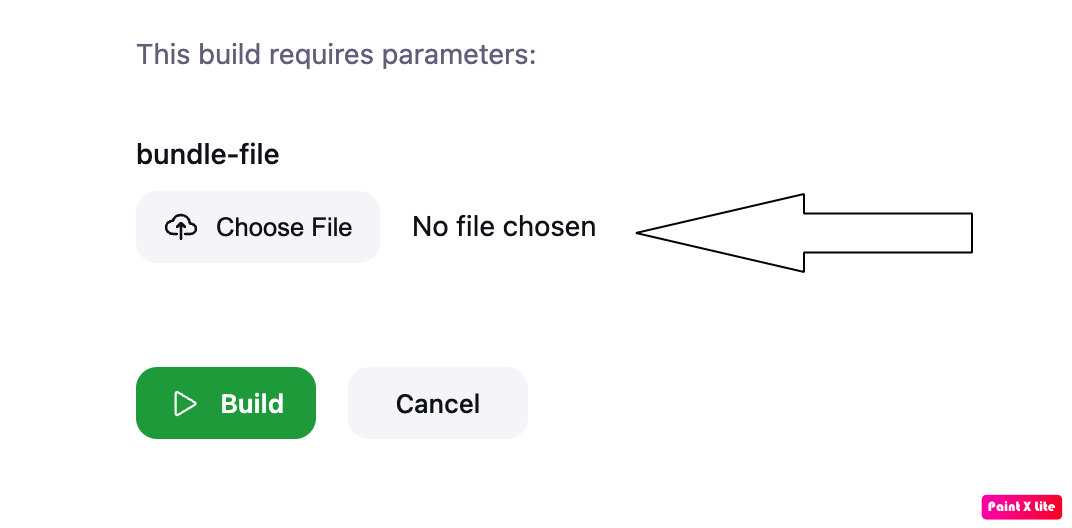
- Hit Build! 🚀
- Once complete, you will find all your Docker images, Helm charts, and Git repositories securely pushed into their respective local registries within the new network.